


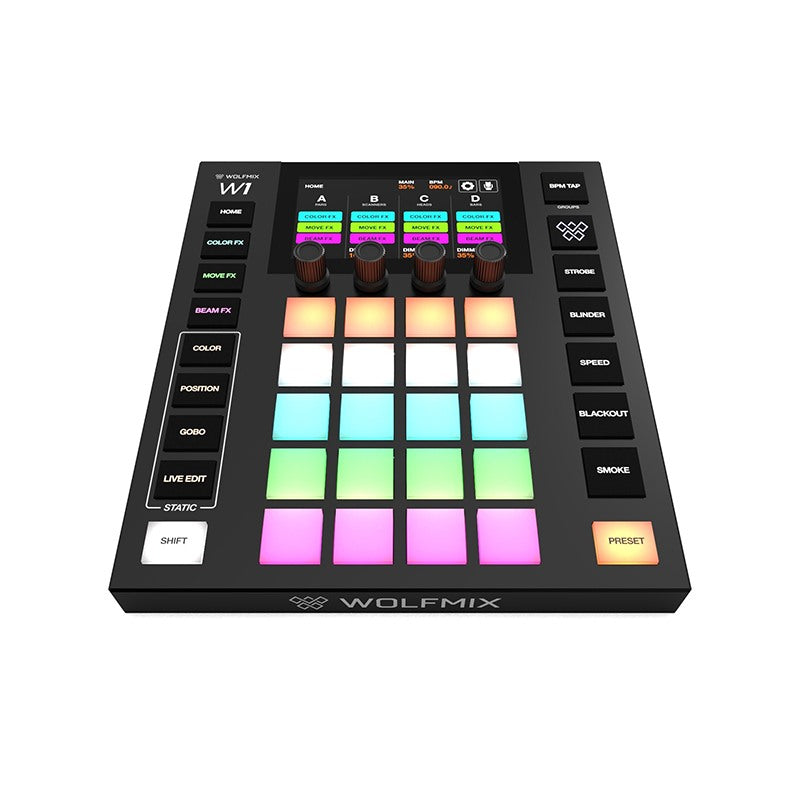

Wing Wolfmix Extension for W1
- 8 x 5-button matrix
- 4 encoders
- 8 OLED displays
- 8 motorised faders
- Expressive light guides
- 8 group buttons
- 3 exclusive modes
Designed for the stage. WING is the perfect companion to the compact yet powerful W1. Divide your setup into SUBGROUPS, build your show with CUE LIST, add detail with CONTROL, and customise everything with...
Delivery
S2Store Genk (BE)
Pros and Cons
Description
Wing Wolfmix Extension for W1
- 8 x 5-button matrix
- 4 encoders
- 8 OLED displays
- 8 motorised faders
- Expressive light guides
- 8 group buttons
- 3 exclusive modes
Designed for the stage. WING is the perfect companion to the compact yet powerful W1. Divide your setup into SUBGROUPS, build your show with CUE LIST, add detail with CONTROL, and customise everything with MAPPING.
Fusion Power!
Connect WING to W1 and they merge into one integrated system. Modes flow seamlessly into one another. The motorised faders of WING complement the touchscreen of W1 perfectly, and with the same powerful beam engine at the core of both devices, together they unleash up to 8 DMX universes.
Use a CUE LIST to play back a sequence of presets in the right order for songs, scenes or acts.
Build a cue list by choosing presets that suit the moment. Save up to five presets simultaneously, with each preset controlling a different element — colour in one and movement in another. A single press of the dedicated OK/GO button triggers the next cue.
Set fade and hold times, jump automatically between cues or follow MIDI timecode, keeping the lighting in sync with the rest of the production.
CONTROL distributes all your fixtures across the WING's matrix. Select one or more from any group and adjust them with the faders. Once you have the look you want, press OK/GO to save it instantly as a preset.
Choose which parameters are assigned to which fader, so the controls you need are always within reach. Group filters, the scroll encoder and selection macros let you quickly find and select exactly the fixtures you want.
With up to 32 individual adjustments per preset, you can create looks with a level of detail that was simply not possible before.
Everyone has their own way of running a show, so with Mapping you can build the control surface that suits you. Assign W1 functions to the faders and matrix buttons spread across four pages and arrange them the way you work.
Reserve one page for dimmers and presets, another for FX parameters, and yet another for whatever else your show requires. Anything you don't assign sends a generic MIDI message, so those faders and buttons can control your external MIDI hardware and software, including audio and video.
Mix and match across the four pages and WING becomes the single control surface from which you run the entire show.
Each group is now divided into eight subgroups, allowing you to select a number of fixtures and control them independently. Divide your uplighters across left, centre and right on the stage, then switch one side on without affecting the others.
In COLOR FX, MOVE FX and BEAM FX, parameters are displayed on the faders, so you can tweak an effect by simply reaching for it rather than having to search for it.
All eight groups are in front of you at once, so you never need to switch pages to find the right one. Tap a dedicated group button to expand colours, positions and gobos across the WING's matrix.
Edit a colour and use the faders to set the components; edit a position and gain access to pan, tilt, fan and cross.
WING works with anything that supports MIDI. Connect WING to your computer via USB-C, load the MIDI map for your software and select WOLFMIX-WING as the source.
If no map is available for your software, use learn mode to assign the WING's faders and matrix buttons yourself.
Brief specifications
| Behuizing | |
|---|---|
| Afmetingen | 220 x 290 x 57 mm |
| Gewicht | 1.5 kg |
| DMX-aansluitingen | 2 x XLR 3p, 2 x XLR 5p, elke poort vrij toewijsbaar aan elk beschikbaar DMX universe |
| USB-aansluitingen | USB-C-voeding 15 V, 3 A, USB-C-gegevens, USB-A voor aansluiting en voeding van de Wolfmix W1 |
| Materiaal | ABS-kunststof, gepoedercoate stalen basisplaat |
| Componenten | |
|---|---|
| Faders | 8, gemotoriseerd |
| Displays | 8 monochrome OLED-stripmodules, 64 x 32 pixels |
| Button pads | 57 siliconenknoppen met RGB-LED-achtergrondverlichting en een matte, geoliede afwerking |
| Encoders | 1 met klikstand, 3 zonder klikstand, scroll-encoder, fine-encoder |
| Processor | |
|---|---|
| CPU | 220 MHz met ARM core |
| Ram | 8 MB |
| Flash | 16 MB |
| 2e Processor | voor aansturing gemotoriseerde faderbank |